
Signing for ETH
Unsigned transaction formats from our API
When creating validators using POST /ethereum/validators (API Reference), Figment returns an object that contains three different formats of the same underlying transaction:
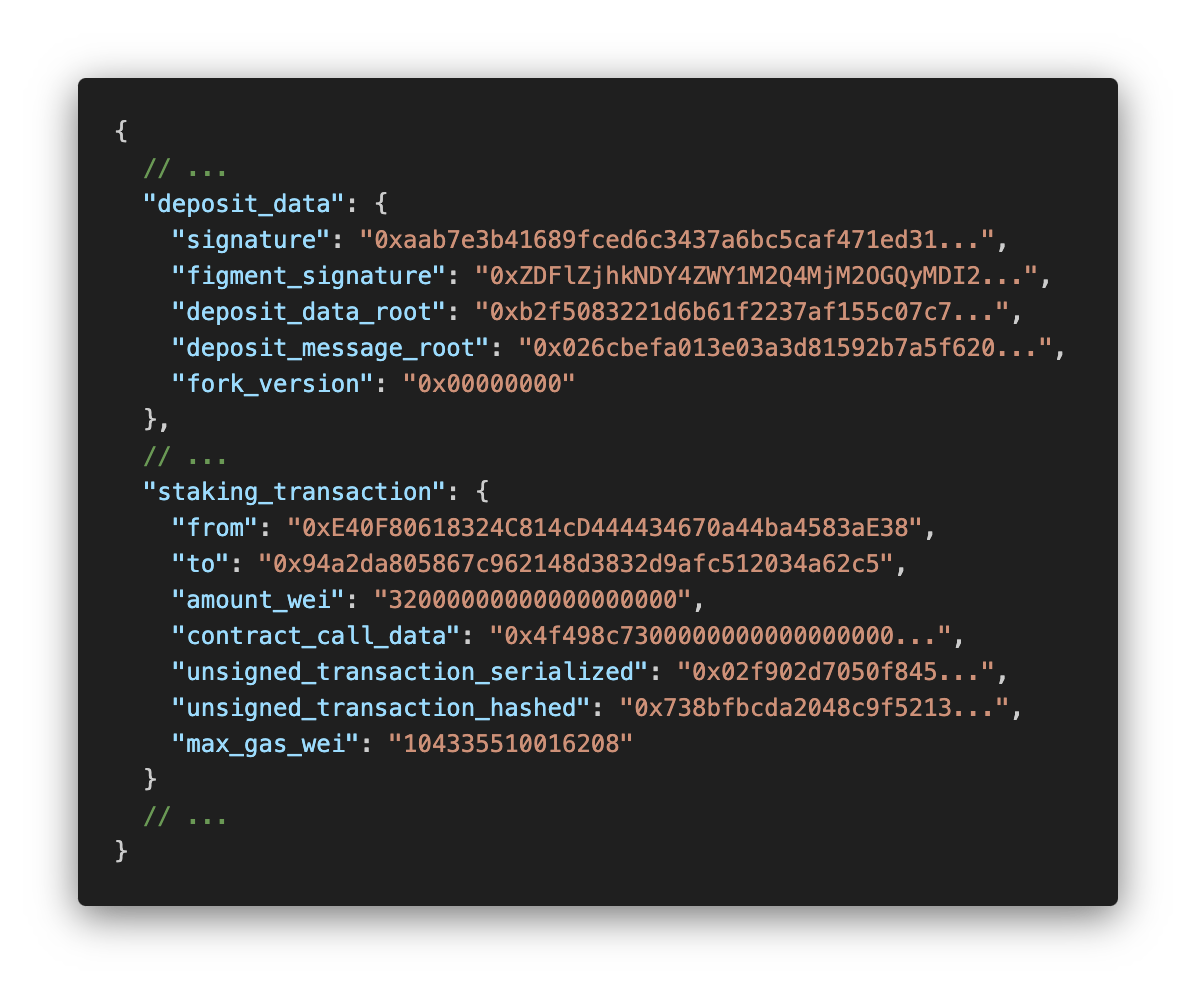
Each format exists because a different type of signer expects a different input. This page explains what each field is, why it exists, and which one you should use.
Which field should I use?
| Your signing setup | Field to use | Why |
|---|---|---|
| Custodian with a "smart contract call" or "DeFi" API (Fireblocks, Copper) | contract_call_data | The custodian builds and signs the rest of the transaction for you |
| You want to simulate or audit the transaction before signing | unsigned_transaction_serialized | It's the only field with the full picture of what the transaction does |
| Raw key, wallet library, or HSM that signs digests | unsigned_transaction_hashed | It's the exact payload your private key signs, a fixed 32-byte digest of the full transaction |
Why there are three formats
Every Ethereum transaction goes through the same lifecycle: it gets built, serialized, hashed, then signed. The three fields are snapshots of that lifecycle.
contract_call_data: the instruction to the smart contract
contract_call_data: the instruction to the smart contractThis is RLP-encoded data describing your call to the deposit function on Figment's batch staking smart contract. It includes all details the EVM needs to execute the smart contract portion of the transaction.
Use this if: you sign through a custodian with a dedicated "smart contract" or "DeFi" signing flow. These custodians take calldata directly, build the rest of the transaction themselves, and sign it. Fireblocks and Copper both work this way:
unsigned_transaction_serialized: the full transaction
unsigned_transaction_serialized: the full transactionThis is the RLP-encoded version of the complete transaction object, contract calldata included, plus everything else Ethereum needs to execute it (nonce, gas, value, recipient). With this field, you can fully simulate the transaction to verify exactly how it will update Ethereum's state before anyone signs.
Use this if: your signing setup wants to inspect or simulate the whole transaction first, or if you're building your own signing pipeline rather than relying on a custodian's pre-built calldata flow. This field is also required for broadcasting regardless of which field you signed.
unsigned_transaction_hashed: what actually gets signed
unsigned_transaction_hashed: what actually gets signedunsigned_transaction_hashed is the keccak hash of unsigned_transaction_serialized: a fixed 32-byte fingerprint of the full transaction. Your private key signs this fingerprint rather than the full serialized bytes, because the signing algorithm requires a fixed-length input regardless of transaction size.
When you broadcast, nodes receive unsigned_transaction_serialized and your signature. They compute the hash from the serialized transaction themselves, then check that your signature is valid against it. Any tampering in transit would produce a different hash, and the signature check would fail.
Use this if: your signer is a raw key, a wallet library, or an HSM that expects a digest to sign. This is the lowest-level option and the one you'll use if nothing upstream of you is doing transaction construction on your behalf.
Getting back to a signed transaction
Regardless of which field you signed, broadcasting requires two things combined into a signed_transaction:
unsigned_transaction_serialized, which tells the network what the transaction does and how it changes state.- The
signature, your private key's signature overunsigned_transaction_hashed, which proves you consented to that exact transaction.
Those two combined form the signed_transaction for the Broadcast endpoint.
If your custodian only gives you back a bare signature, pass it alongsideunsigned_transaction_serialized to the broadcast endpoint as two separate fields and Figment will assemble them.
Frequently Asked Questions
Does signing require a BLS private key on the BLS12-381 curve?
No. Figment manages the BLS signing key used for consensus-layer duties (attestations, block proposals) on your behalf. What you sign here is a standard ECDSA secp256k1 Ethereum execution-layer transaction, the same kind of signing you'd do for any ETH transfer or contract call. Your regular Ethereum wallet key handles it.
Do I need to sign every staking transaction, or just once at validator creation?
Every transaction that moves ETH needs its own signature. That covers the initial deposit, compound top-ups, partial withdrawals, consolidations, and execution-layer exits. Each is a separate on-chain transaction, so each gets signed separately. There's no single signature that covers a validator’s full lifecycle.
Can I bypass Figment's broadcast endpoint entirely?
Yes. You can extract deposit_data from the API response and call the deposit contract directly. Only do this if you're managing your own transaction construction end to end.
Updated 4 months ago